Organising Wallet Lists
Organise the wallets you want to monitor into named groups. Each Group can have its own signalling properties and filters. Groups are the foundation for Telegram alerts and the Live Transactions Console.
Full Video Tutorial
Instructions
-
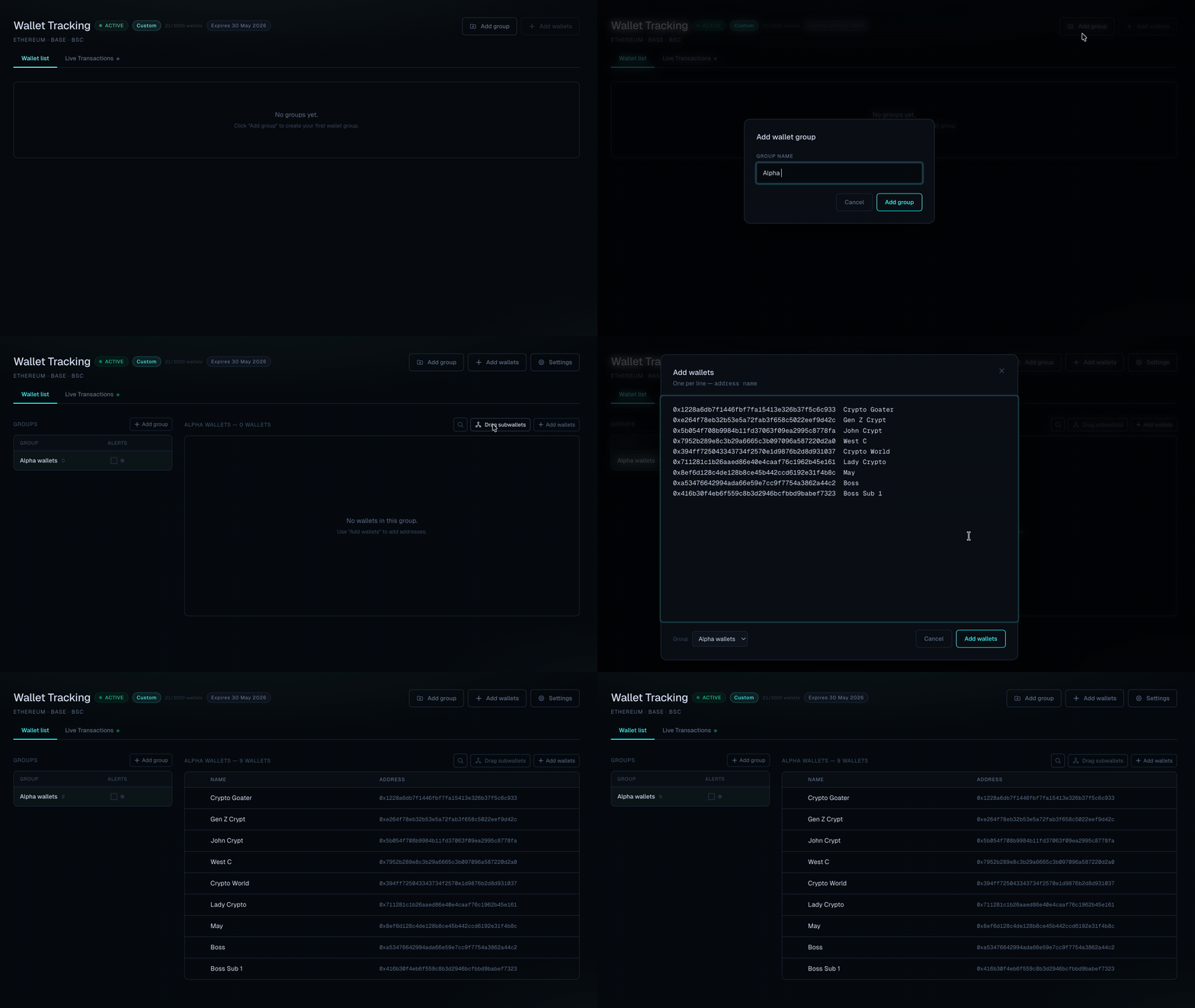
Go to the Wallets tab and create the groups you need.
-
Select the group, press Add wallets and paste the wallets addresses, each address on a new line.
If needed, give each wallet a clear label so it is easy to identify in the alerts.
Addresses and names should be separated with a space. -
Per group, enable alerts and link a telegram group (add our bot @ChainQuantBot to your group, promote it as admin and use /getid to retrieve the group ID)
-
Press the gearwheel in the group row to configure filters
-
When needed, select multiple wallets and press Create cluster to cluster wallets which belong to a single entity.