Supply Audit
Run a full audit of your token’s supply distribution. Classify wallets and identify potential threats before they become a problem.
Full Video Tutorial
Instructions
This feature is primarily made for new tokens. As such, fetching transaction data is capped at 30 days.
-
Ensure that the groups and wallets are added via the Wallets tab.
Commonly used groups are KOLs, TEAM & MM
Hint: include an empty group ‘Snipers’ which can be filled in the final step. -
Press Load holders and wait for the holders and transactions to be fetched.
-
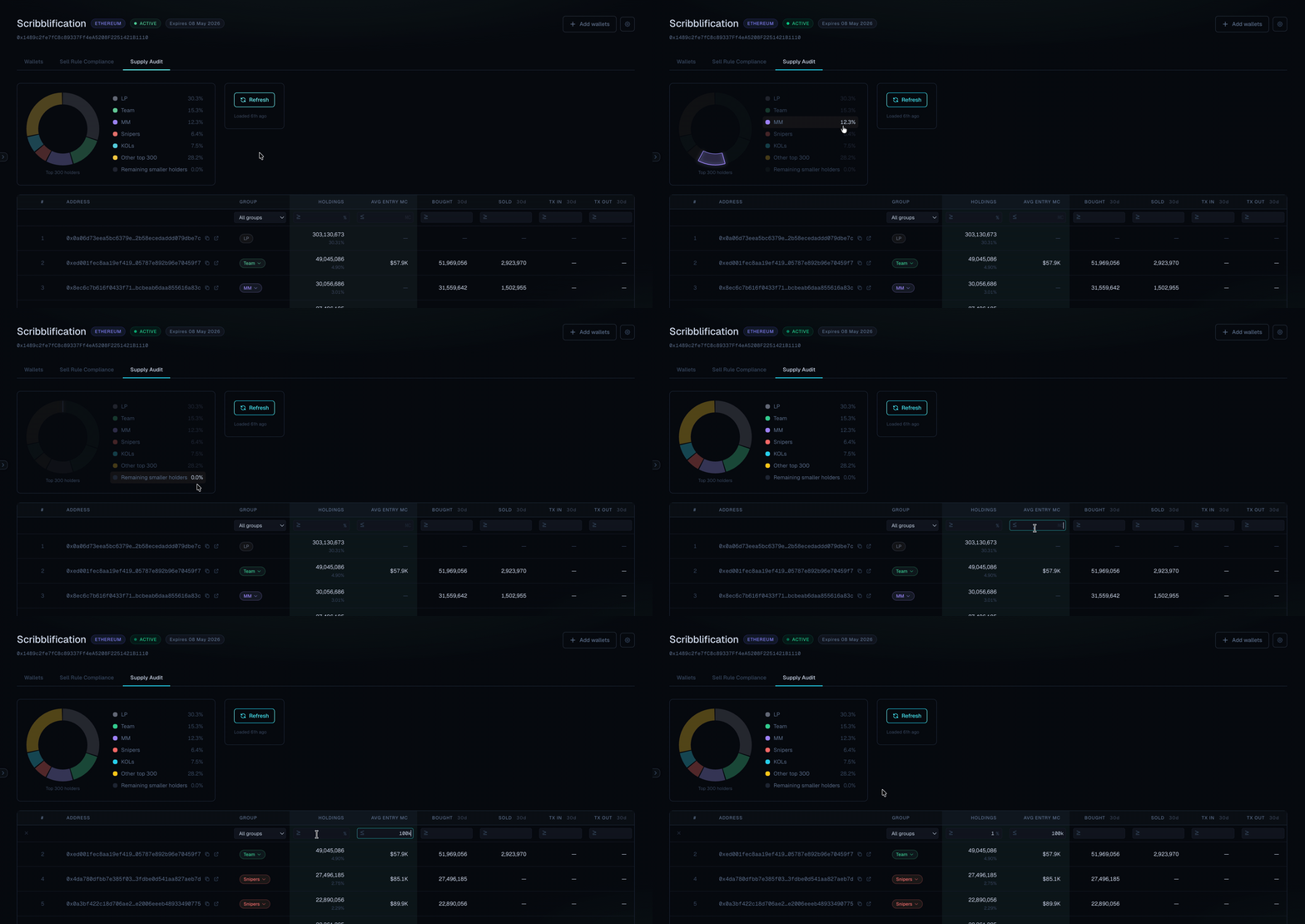
Select the ‘other top 300’ wallets and sort on HOLDINGS % to identify bigger unknown holders.
-
Filter on AVG ENTRY MC and HOLDINGS %
e.g. < 100k and 1%
This will give a list of every unknown wallet which bought below 100k and scooped up at least 1% supply. -
Select the wallets and add them to the group Snipers
-
Optional: Go to the wallets tab and activate Telegram notifications for the snipers group. This way, you will be informed when the snipers are out.