Sell Rule Compliance
This feature can be used by projects to monitor Sell Rule Compliance, both realtime and for historic analysis.
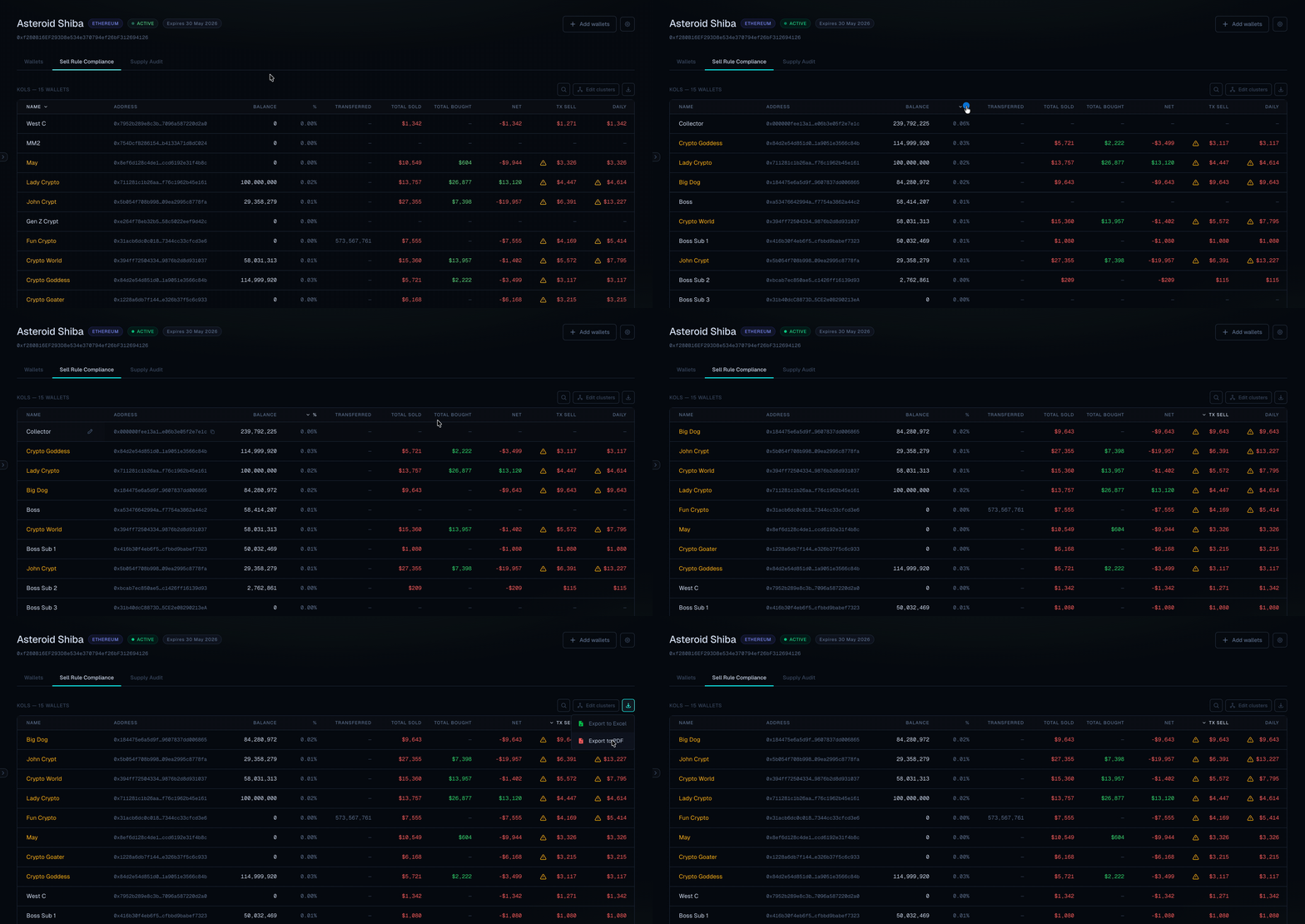
Sell Rule Compliance Dashboard
Define sell rules for your token and automatically monitor whether wallets are complying. Periodically check the dashboard for a comprehensive sell rule compliance check.
Telegram alerts
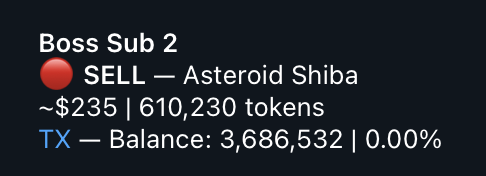
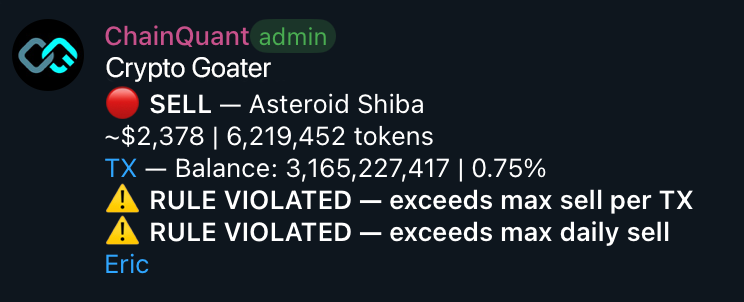
Receive instant Telegram alerts with tags when violations occur.
Full Video Tutorial
Instructions
-
Ensure that the wallets you want to monitor are added via the Wallets tab and assigned to the relevant group (e.g. KOLs) with ‘Sell Rules’ enabled.
If you also want to receive realtime alerts on telegram when violations occur, activate TG notifications by linking a telegram group. -
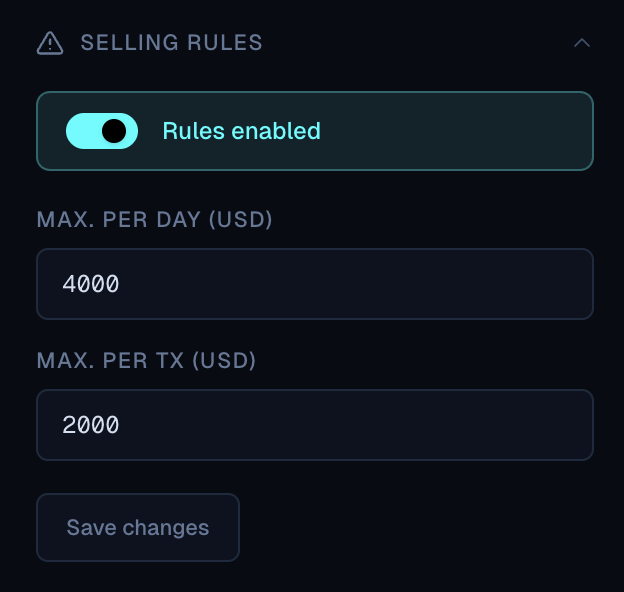
Configure your sell rules via the Settings menu.
-
The saved wallets are directly monitored for Sell Rule compliance.
Periodically, check the dashboard for each wallet’s compliance status.
If enabled, you will receive live Telegram Alerts and you will be tagged when a violation is detected.
Wallets added to a group before any on-chain activity occurs will have the most accurate historical data needed for the sell rule compliance dashboard. If you add a wallet retroactively, use the Fetch History function — note that this may result in less complete data for past transactions.